# Extract Mesh Part
##  Extract Mesh Part
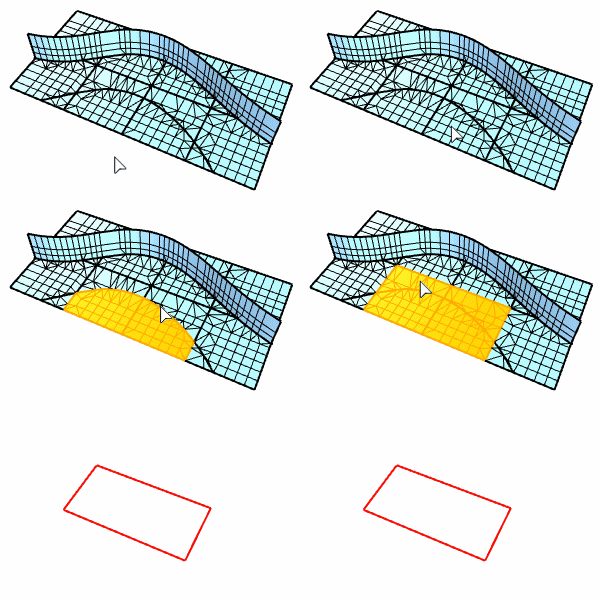
The ExtractMeshPart command extracts all mesh faces radiating out from the selected face to unwelded, non-manifold, or naked edges in the parent mesh object.
### Command-line options
The scriptable command, -ExtractMeshPart, provides extra options.
### **BorderOnly**
Creates line segments from the boundary edges of the selected mesh face group.
### **MakeCopy**
Duplicates the selected mesh face group instead of extracting it.
### **ExtractWholeDisjointParts**
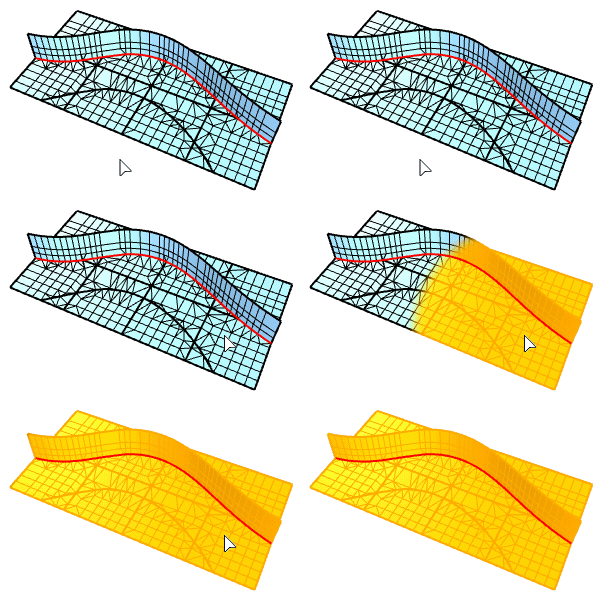
* **Yes:** Extracts the selected part in the mesh that does not physically join to other parts.
* **No:** The ExtractToNonManifoldEdges option decides how mesh faces are extracted.
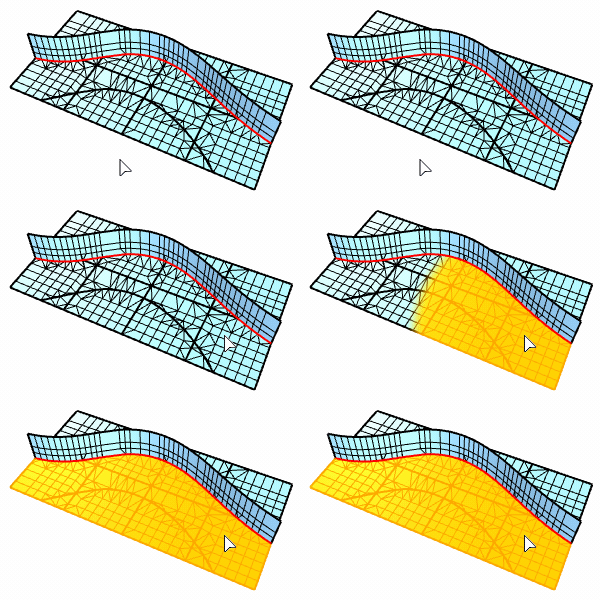
* **ExtractToNonManifoldEdges**
**Yes:** Extraction stops at non-manifold edges.
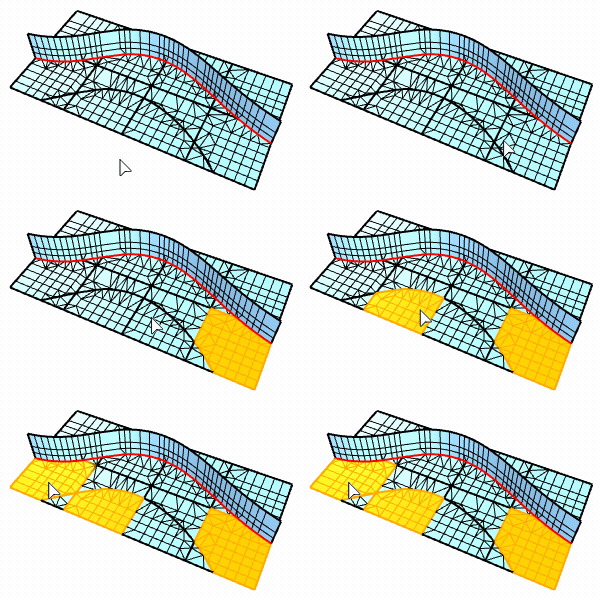
**No:** Extraction stops at unwelded edges.
### **JoinOutput**
Joins the extracted mesh faces into a mesh object.
---
# Agent Instructions: Querying This Documentation
If you need additional information that is not directly available in this page, you can query the documentation dynamically by asking a question.
Perform an HTTP GET request on the current page URL with the `ask` query parameter:
```
GET https://docs.rhinoartisan.com/commands/mesh/extract-mesh-faces/extract-mesh-part.md?ask=
```
The question should be specific, self-contained, and written in natural language.
The response will contain a direct answer to the question and relevant excerpts and sources from the documentation.
Use this mechanism when the answer is not explicitly present in the current page, you need clarification or additional context, or you want to retrieve related documentation sections.
Extract Mesh Part
The ExtractMeshPart command extracts all mesh faces radiating out from the selected face to unwelded, non-manifold, or naked edges in the parent mesh object.
### Command-line options
The scriptable command, -ExtractMeshPart, provides extra options.
### **BorderOnly**
Creates line segments from the boundary edges of the selected mesh face group.
### **MakeCopy**
Duplicates the selected mesh face group instead of extracting it.
### **ExtractWholeDisjointParts**
* **Yes:** Extracts the selected part in the mesh that does not physically join to other parts.
* **No:** The ExtractToNonManifoldEdges option decides how mesh faces are extracted.
* **ExtractToNonManifoldEdges**
**Yes:** Extraction stops at non-manifold edges.

**No:** Extraction stops at unwelded edges.

### **JoinOutput**
Joins the extracted mesh faces into a mesh object.
---
# Agent Instructions: Querying This Documentation
If you need additional information that is not directly available in this page, you can query the documentation dynamically by asking a question.
Perform an HTTP GET request on the current page URL with the `ask` query parameter:
```
GET https://docs.rhinoartisan.com/commands/mesh/extract-mesh-faces/extract-mesh-part.md?ask=
```
The question should be specific, self-contained, and written in natural language.
The response will contain a direct answer to the question and relevant excerpts and sources from the documentation.
Use this mechanism when the answer is not explicitly present in the current page, you need clarification or additional context, or you want to retrieve related documentation sections.