# SubDEllipsoid
##  SubDEllipsoid
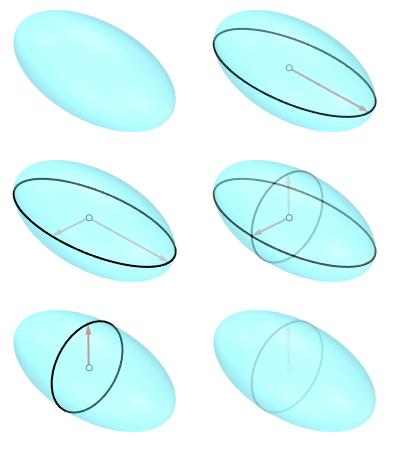
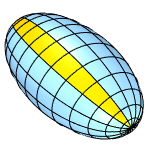
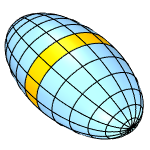
The SubDEllipsoid command draws a subdivision ellipsoid.
### Command-line Options
#### **Radius**
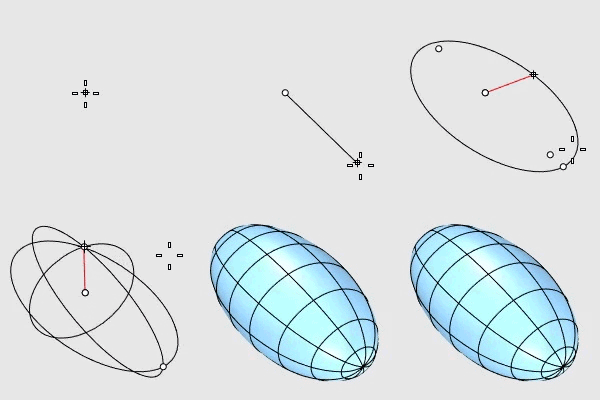
Creates an ellipsoid by defining the half-length of each axis.
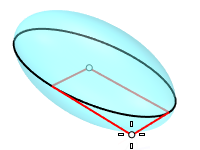
1. **Corner:** Draws the base ellipse from the center point and a corner of the enclosing rectangle.
#### **Corner**
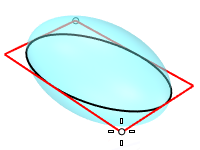
Draws the base ellipse from two opposite corners of the enclosing rectangle.
#### **Diameter**
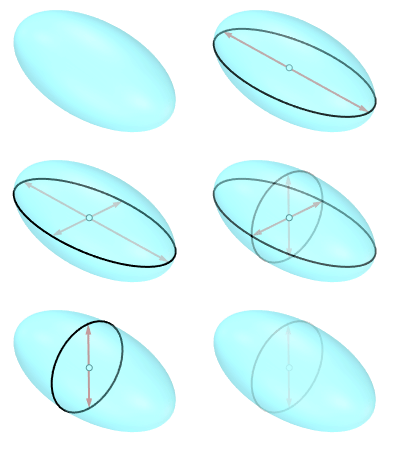
Creates an ellipsoid by defining the length of each axis.
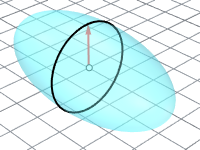
1. **Vertical:** Draws the base ellipse perpendicular to the construction plane.
#### **FromFoci**
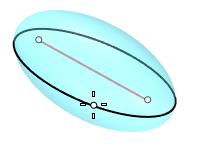
Draws the ellipse from focus points and a point on the curve.
1. **MarkFoci:** Places a point object at the focus locations.
#### **AroundCurve**
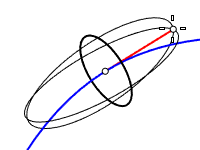
Draws the base ellipse perpendicular to the picked point on a curve. The third axis will be tangent to the curve.
#### **VerticalFaces**
Number of faces along the first axis.
#### **AroundFaces**
Number of faces around the first axis.
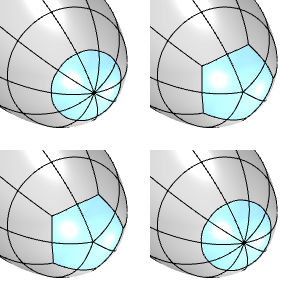
#### **CapFaceStyle (Tri/Quad)**
Select to use triangle or quad faces at the poles.
***
This option is only visible when AroundFaces is an even number (4, 6, 8...).
Tri is always used when AroundFaces is an odd number.
***
For more information, please refer to the [Rhino documentation](https://docs.mcneel.com/rhino/8/help/en-us/commands/subdprimitives.htm#SubDEllipsoid).
---
# Agent Instructions: Querying This Documentation
If you need additional information that is not directly available in this page, you can query the documentation dynamically by asking a question.
Perform an HTTP GET request on the current page URL with the `ask` query parameter:
```
GET https://docs.rhinoartisan.com/commands/subd/primitives-subd/subdellipsoid.md?ask=
```
The question should be specific, self-contained, and written in natural language.
The response will contain a direct answer to the question and relevant excerpts and sources from the documentation.
Use this mechanism when the answer is not explicitly present in the current page, you need clarification or additional context, or you want to retrieve related documentation sections.
SubDEllipsoid
The SubDEllipsoid command draws a subdivision ellipsoid.

### Command-line Options
#### **Radius**
Creates an ellipsoid by defining the half-length of each axis.
1. **Corner:** Draws the base ellipse from the center point and a corner of the enclosing rectangle.
#### **Corner**
Draws the base ellipse from two opposite corners of the enclosing rectangle.
#### **Diameter**
Creates an ellipsoid by defining the length of each axis.
1. **Vertical:** Draws the base ellipse perpendicular to the construction plane.
#### **FromFoci**
Draws the ellipse from focus points and a point on the curve.
1. **MarkFoci:** Places a point object at the focus locations.
#### **AroundCurve**
Draws the base ellipse perpendicular to the picked point on a curve. The third axis will be tangent to the curve.
#### **VerticalFaces**
Number of faces along the first axis.
#### **AroundFaces**
Number of faces around the first axis.
#### **CapFaceStyle (Tri/Quad)**
Select to use triangle or quad faces at the poles.
***
This option is only visible when AroundFaces is an even number (4, 6, 8...).
Tri is always used when AroundFaces is an odd number.
***
For more information, please refer to the [Rhino documentation](https://docs.mcneel.com/rhino/8/help/en-us/commands/subdprimitives.htm#SubDEllipsoid).
---
# Agent Instructions: Querying This Documentation
If you need additional information that is not directly available in this page, you can query the documentation dynamically by asking a question.
Perform an HTTP GET request on the current page URL with the `ask` query parameter:
```
GET https://docs.rhinoartisan.com/commands/subd/primitives-subd/subdellipsoid.md?ask=
```
The question should be specific, self-contained, and written in natural language.
The response will contain a direct answer to the question and relevant excerpts and sources from the documentation.
Use this mechanism when the answer is not explicitly present in the current page, you need clarification or additional context, or you want to retrieve related documentation sections.