# Apply Mesh UVN
##  Apply Mesh UVN
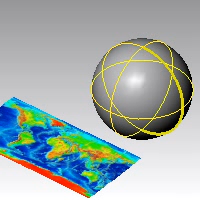
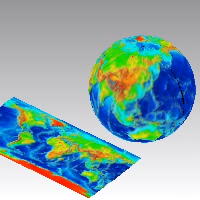
The ApplyMeshUVN command wraps meshes and points onto a surface.
To create meshes from bitmaps, see the Heightfield command.
### **Steps**
1. Select meshes and points.\
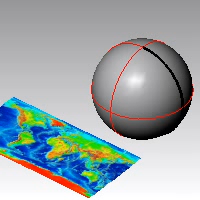
2. Select the target surface.\
\
The mesh wraps around the target surface.\
### Command-line option
VerticalScale: The scaling factor for the height of the applied mesh.
---
# Agent Instructions: Querying This Documentation
If you need additional information that is not directly available in this page, you can query the documentation dynamically by asking a question.
Perform an HTTP GET request on the current page URL with the `ask` query parameter:
```
GET https://docs.rhinoartisan.com/commands/mesh/apply-mesh-uvn.md?ask=
```
The question should be specific, self-contained, and written in natural language.
The response will contain a direct answer to the question and relevant excerpts and sources from the documentation.
Use this mechanism when the answer is not explicitly present in the current page, you need clarification or additional context, or you want to retrieve related documentation sections.
Apply Mesh UVN
The ApplyMeshUVN command wraps meshes and points onto a surface.
To create meshes from bitmaps, see the Heightfield command.
### **Steps**
1. Select meshes and points.\

2. Select the target surface.\
\
The mesh wraps around the target surface.\

### Command-line option
VerticalScale: The scaling factor for the height of the applied mesh.
---
# Agent Instructions: Querying This Documentation
If you need additional information that is not directly available in this page, you can query the documentation dynamically by asking a question.
Perform an HTTP GET request on the current page URL with the `ask` query parameter:
```
GET https://docs.rhinoartisan.com/commands/mesh/apply-mesh-uvn.md?ask=
```
The question should be specific, self-contained, and written in natural language.
The response will contain a direct answer to the question and relevant excerpts and sources from the documentation.
Use this mechanism when the answer is not explicitly present in the current page, you need clarification or additional context, or you want to retrieve related documentation sections.