# Box Mapping
##  Box Mapping
The ApplyBoxMapping command adds a box texture mapping channel to an object and sets the mapping type to box.
### **Steps**
1. Select[ ](https://docs.mcneel.com/rhino/8/help/en-us/popup_actions/select_objects.htm)objects, and press Enter.
2. Draw the mapping widget box.
3. Select the coordinate system.
4. Specify if the box will be capped.
5. Enter a mapping[ ](https://docs.mcneel.com/rhino/8/help/en-us/popup_moreinformation/mapping_channels.htm)channel number, or press Enter to accept the default value.
***
### Command-line options
**BoundingBox**\
Uses the object bounding[ ](https://docs.mcneel.com/rhino/8/help/en-us/commands/boundingbox.htm)box to determine the location and size of the mapping widget.
**CPlane**\
Uses Construction plane[ ](https://docs.mcneel.com/rhino/8/help/en-us/user_interface/accurate_modeling.htm#Construction_plane_coordinates)coordinates for the bounding box.
**World**\
Uses World[ ](https://docs.mcneel.com/rhino/8/help/en-us/user_interface/accurate_modeling.htm#World_Coordinates)coordinates for the bounding box.
**Diagonal**\
Creates a box from the diagonal corners. If you pick the two corners on the CPlane, the command prompts for picking the height.
**Cube**\
Creates a box with six square faces from the diagonal corners.
**(Default)**\
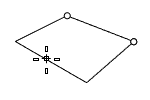
Draws the rectangle using two opposite corners.
**3Point**\
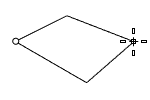
Draws the rectangle using two adjacent corner locations and a location on the opposite side.
**EdgeMidpoint**\
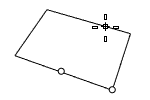
Draws the rectangle from the midpoint of the first edge, an end of the edge, and a location on the opposite side.
**Vertical**\
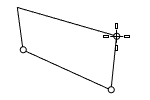
Draws the rectangle perpendicular to the construction plane.
**Center**\
Draws the rectangle from the center point and a corner.
**Capped**\
Applies the mapping to all six sides of the box.
***
For more information, please refer to the [Rhino documentation](https://docs.mcneel.com/rhino/8/help/en-us/properties/texturemapping.htm#ApplyBoxMapping).
---
# Agent Instructions: Querying This Documentation
If you need additional information that is not directly available in this page, you can query the documentation dynamically by asking a question.
Perform an HTTP GET request on the current page URL with the `ask` query parameter:
```
GET https://docs.rhinoartisan.com/rendering/commands/textures/box-mapping.md?ask=
```
The question should be specific, self-contained, and written in natural language.
The response will contain a direct answer to the question and relevant excerpts and sources from the documentation.
Use this mechanism when the answer is not explicitly present in the current page, you need clarification or additional context, or you want to retrieve related documentation sections.
Box Mapping
The ApplyBoxMapping command adds a box texture mapping channel to an object and sets the mapping type to box.
### **Steps**
1. Select[ ](https://docs.mcneel.com/rhino/8/help/en-us/popup_actions/select_objects.htm)objects, and press Enter.
2. Draw the mapping widget box.
3. Select the coordinate system.
4. Specify if the box will be capped.
5. Enter a mapping[ ](https://docs.mcneel.com/rhino/8/help/en-us/popup_moreinformation/mapping_channels.htm)channel number, or press Enter to accept the default value.
***
### Command-line options
**BoundingBox**\
Uses the object bounding[ ](https://docs.mcneel.com/rhino/8/help/en-us/commands/boundingbox.htm)box to determine the location and size of the mapping widget.
**CPlane**\
Uses Construction plane[ ](https://docs.mcneel.com/rhino/8/help/en-us/user_interface/accurate_modeling.htm#Construction_plane_coordinates)coordinates for the bounding box.
**World**\
Uses World[ ](https://docs.mcneel.com/rhino/8/help/en-us/user_interface/accurate_modeling.htm#World_Coordinates)coordinates for the bounding box.
**Diagonal**\
Creates a box from the diagonal corners. If you pick the two corners on the CPlane, the command prompts for picking the height.
**Cube**\
Creates a box with six square faces from the diagonal corners.
**(Default)**\
Draws the rectangle using two opposite corners.
**3Point**\
Draws the rectangle using two adjacent corner locations and a location on the opposite side.
**EdgeMidpoint**\
Draws the rectangle from the midpoint of the first edge, an end of the edge, and a location on the opposite side.
**Vertical**\
Draws the rectangle perpendicular to the construction plane.
**Center**\
Draws the rectangle from the center point and a corner.
**Capped**\
Applies the mapping to all six sides of the box.
***
For more information, please refer to the [Rhino documentation](https://docs.mcneel.com/rhino/8/help/en-us/properties/texturemapping.htm#ApplyBoxMapping).
---
# Agent Instructions: Querying This Documentation
If you need additional information that is not directly available in this page, you can query the documentation dynamically by asking a question.
Perform an HTTP GET request on the current page URL with the `ask` query parameter:
```
GET https://docs.rhinoartisan.com/rendering/commands/textures/box-mapping.md?ask=
```
The question should be specific, self-contained, and written in natural language.
The response will contain a direct answer to the question and relevant excerpts and sources from the documentation.
Use this mechanism when the answer is not explicitly present in the current page, you need clarification or additional context, or you want to retrieve related documentation sections.