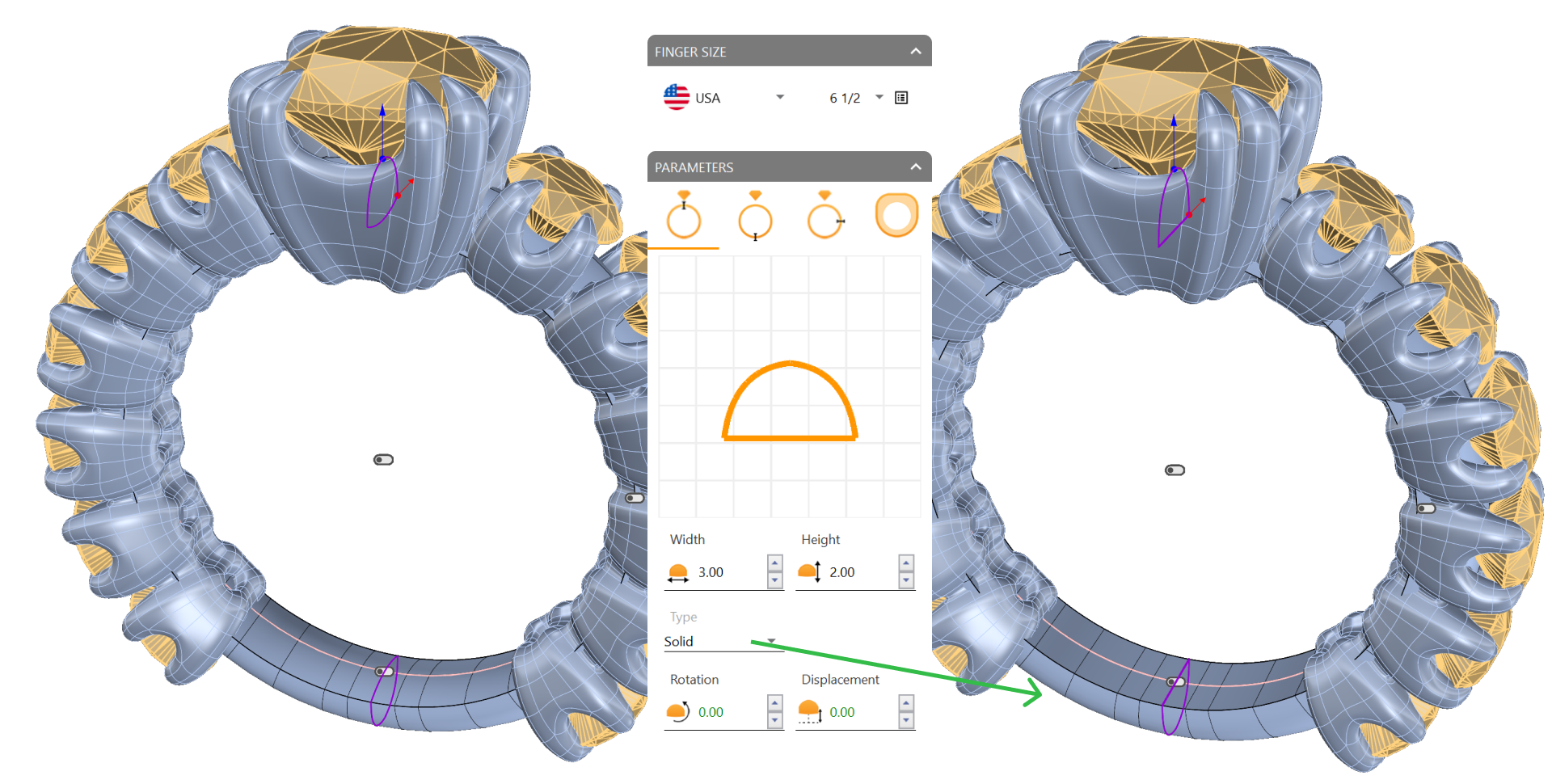
Complete the basket assembly and create the shank for the ring.
Mirror the assembly
Delete the left half of the cushion basket.
Mirror the remaining elements along the Y-axis to complete the structure.
Create the shank
Navigate to the Shanks tab (1) and use the Classic command (2).
Click Edit and set the Type: Solid.
Important: Set the Size to USA 6 1/2
Advanced:
Opening: Cutting.
Cup Bumping: 1.40.
Adjust settings
Now we will adjust the height to match the height of the baskets. Ensure it does not exceed the bridge; this measurement may vary depending on the shape of each basket. In my case, I will use a height of 1.8 mm. Adjust it to fit your model.
We will also modify the width:
In my case, 3.20 mm.
Video Lesson
Next Step
Finalize the model with cutters and prepare for rendering.