# 1. Add your license on Cloud Zoo

We will proceed to add the RhinoArtisan license in Cloud Zoo. <br>

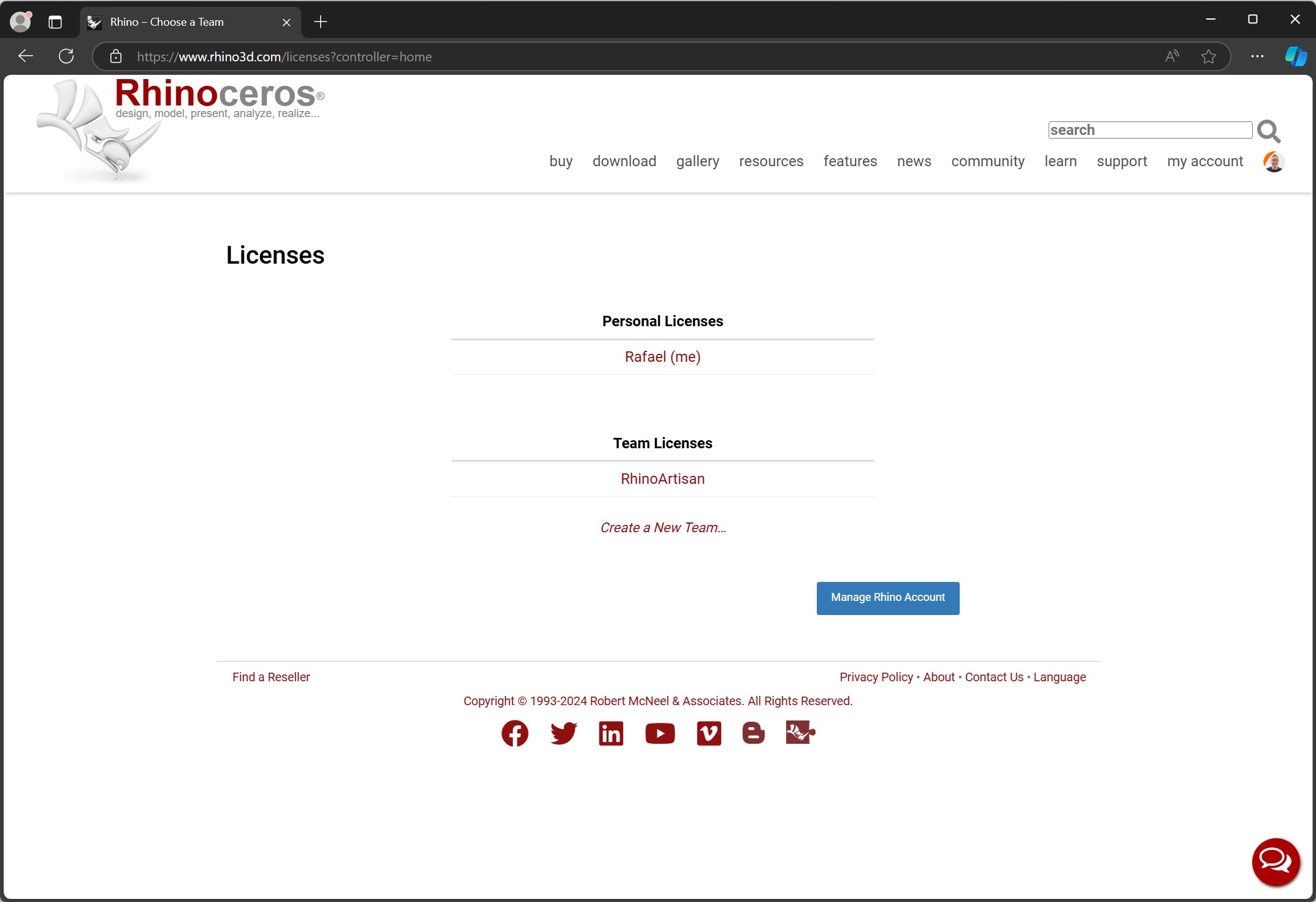
1. In our case, we will access our RhinoArtisan team, although it can be any team.

<figure><img src="https://3375153115-files.gitbook.io/~/files/v0/b/gitbook-x-prod.appspot.com/o/spaces%2F5uhW8FwQpXQj8tHUULMo%2Fuploads%2FeLALW2rK5fzF2Ueai6hH%2F2024-10-24%2011_03_23-Rhino%20%E2%80%93%20Choose%20a%20Team_%20Perfil%201%20-%20Microsoft%E2%80%8B%20Edge.jpg?alt=media&#x26;token=48578755-4b68-463f-b544-0df79b755f4e" alt=""><figcaption></figcaption></figure>

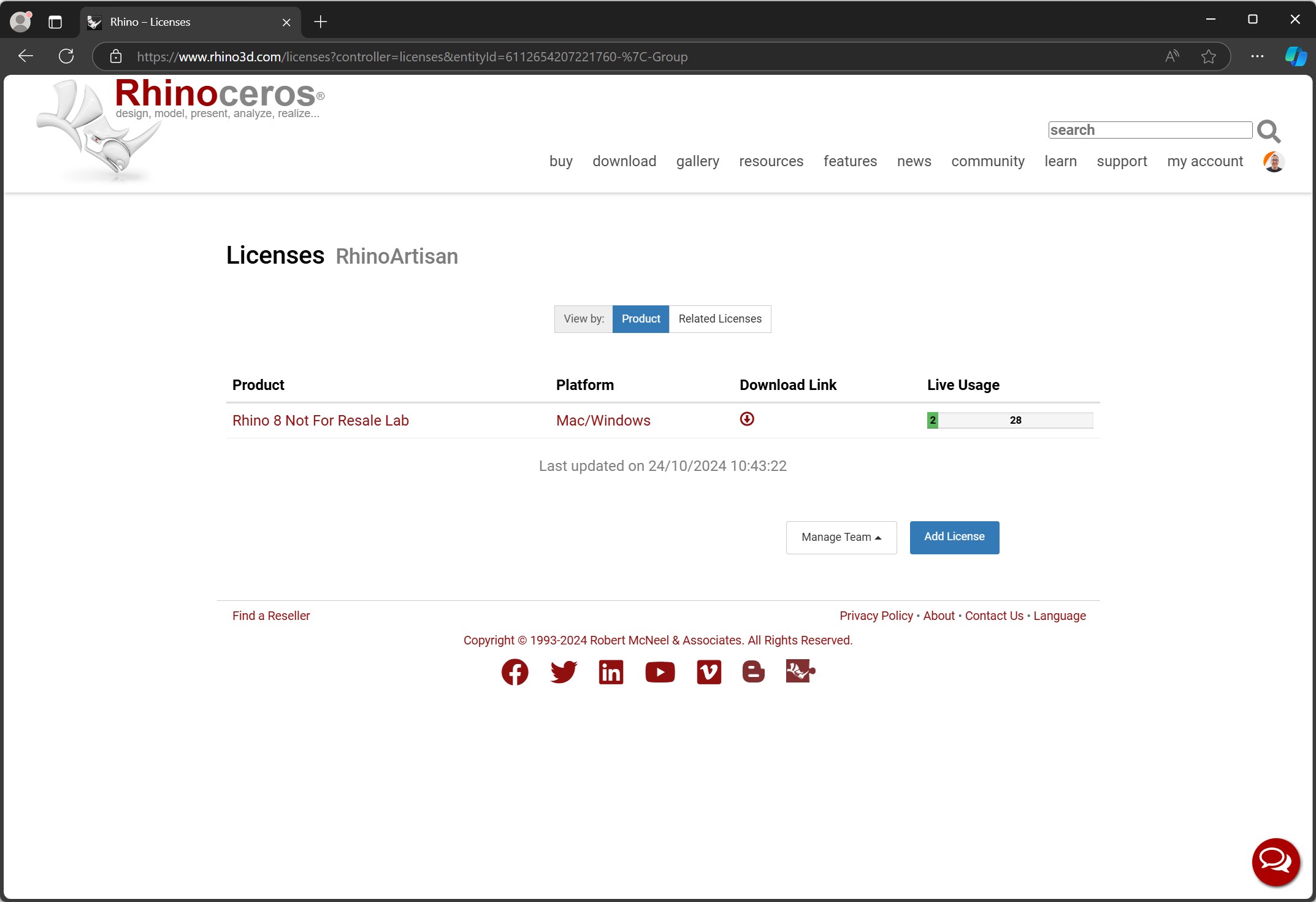
As shown in the following image, we already have the Rhinoceros license. To add the RhinoArtisan license, please click on the **Add License** button.

<figure><img src="https://3375153115-files.gitbook.io/~/files/v0/b/gitbook-x-prod.appspot.com/o/spaces%2F5uhW8FwQpXQj8tHUULMo%2Fuploads%2FgfpCZ290RwCvXrKoOcyZ%2F2024-10-24%2010_44_11-Rhino%20%E2%80%93%20Licenses_%20Perfil%201%20-%20Microsoft%E2%80%8B%20Edge.jpg?alt=media&#x26;token=9b04ef14-f633-44fd-8e10-499aedf3bbee" alt=""><figcaption></figcaption></figure>

{% hint style="info" %}
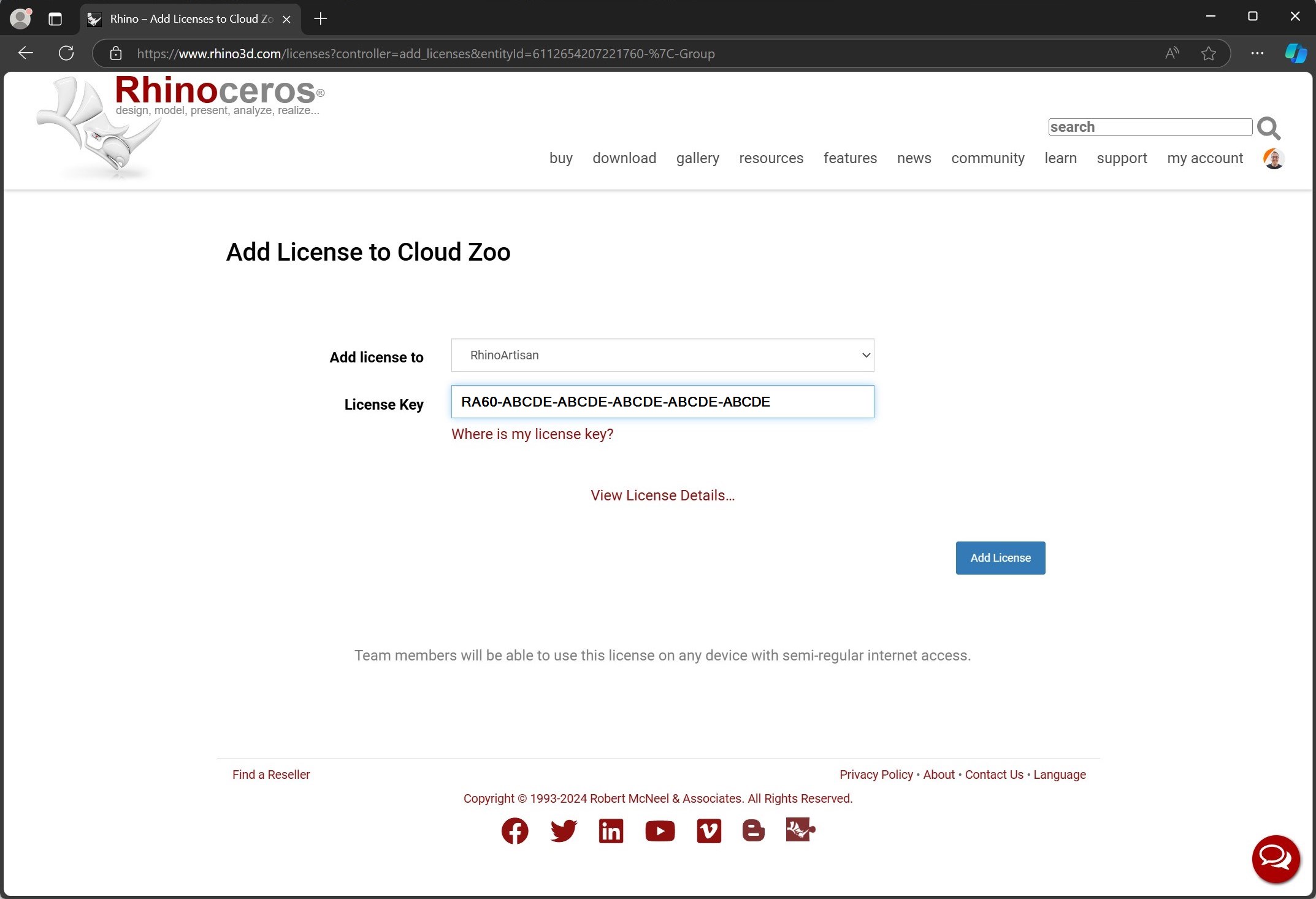
**Very important:** If your RhinoArtisan product key does not start with **RA60**, there is no problem; you can add it at the beginning.
{% endhint %}

In the **License Key field**, enter your RhinoArtisan license. Click on the **Add License** button.

<figure><img src="https://3375153115-files.gitbook.io/~/files/v0/b/gitbook-x-prod.appspot.com/o/spaces%2F5uhW8FwQpXQj8tHUULMo%2Fuploads%2FeImmWBKigaVKmmMAa2m6%2F2024-10-24%2010_46_34-Rhino%20%E2%80%93%20Add%20Licenses%20to%20Cloud%20Zoo_%20Perfil%201%20-%20Microsoft%E2%80%8B%20Edge.jpg?alt=media&#x26;token=ea8360f4-ee8e-4da4-b5b5-da0d9190e1ef" alt=""><figcaption></figcaption></figure>

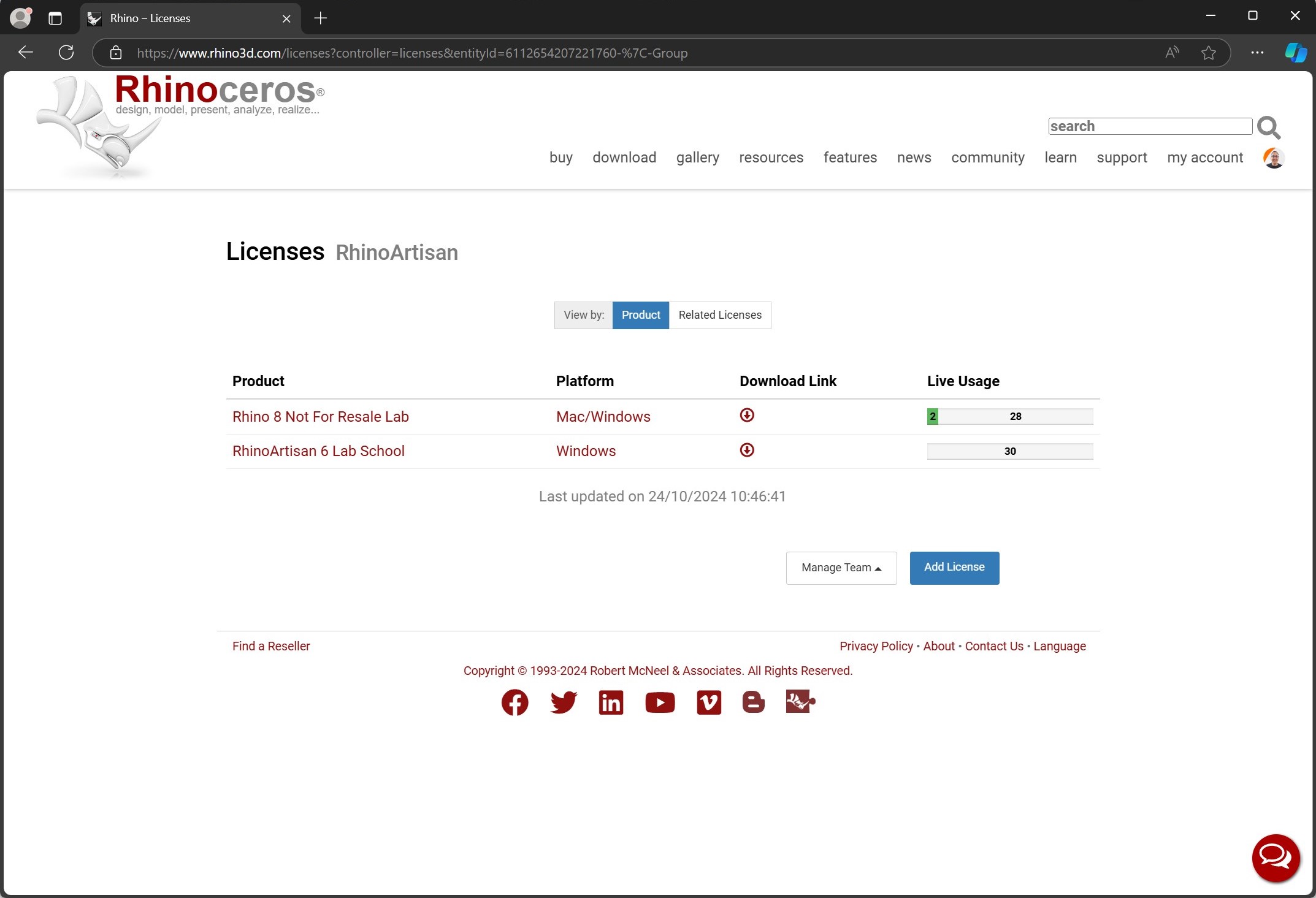
Your RhinoArtisan license is now available in Cloud Zoo.
<figure><img src="https://3375153115-files.gitbook.io/~/files/v0/b/gitbook-x-prod.appspot.com/o/spaces%2F5uhW8FwQpXQj8tHUULMo%2Fuploads%2FhI4kO3gYKbXlPamhvXJC%2F2024-10-24%2010_46_47-Rhino%20%E2%80%93%20Licenses_%20Perfil%201%20-%20Microsoft%E2%80%8B%20Edge.jpg?alt=media&#x26;token=071b823c-6423-4d0d-9deb-8ef95e2b7bdc" alt=""><figcaption></figcaption></figure>